Managing accessibility support
-
From the Provider Portal, select the Menu
 button, then select Business profile.
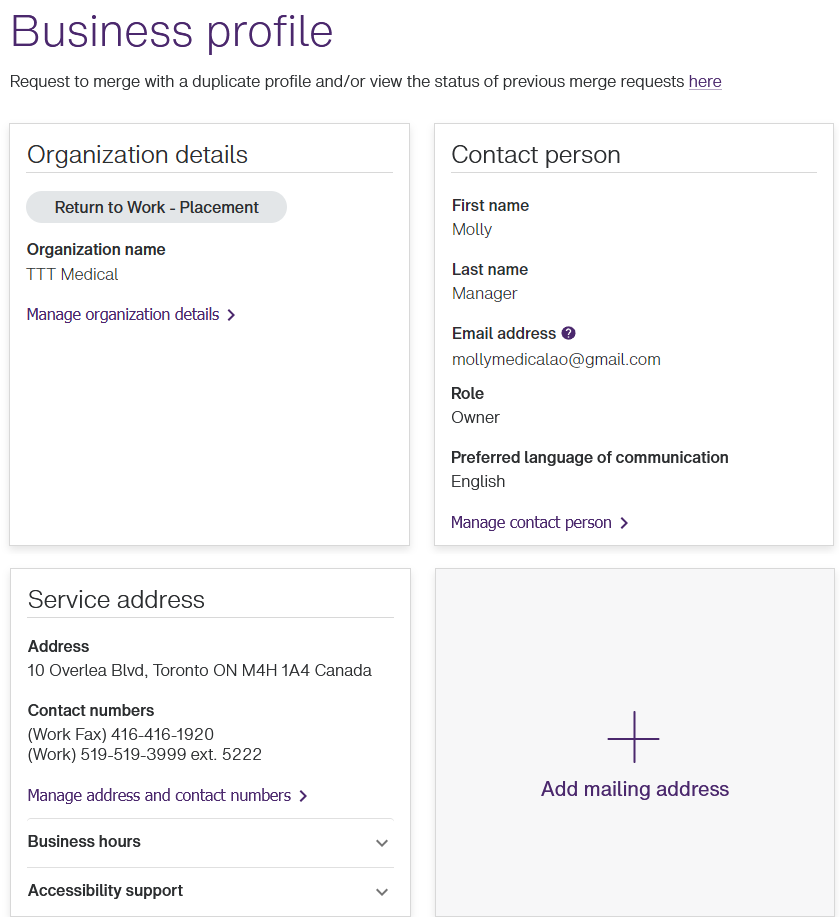
The Business profile window is displayed.
-
In the Service address section, select Accessibility support, then Manage accessibility support.
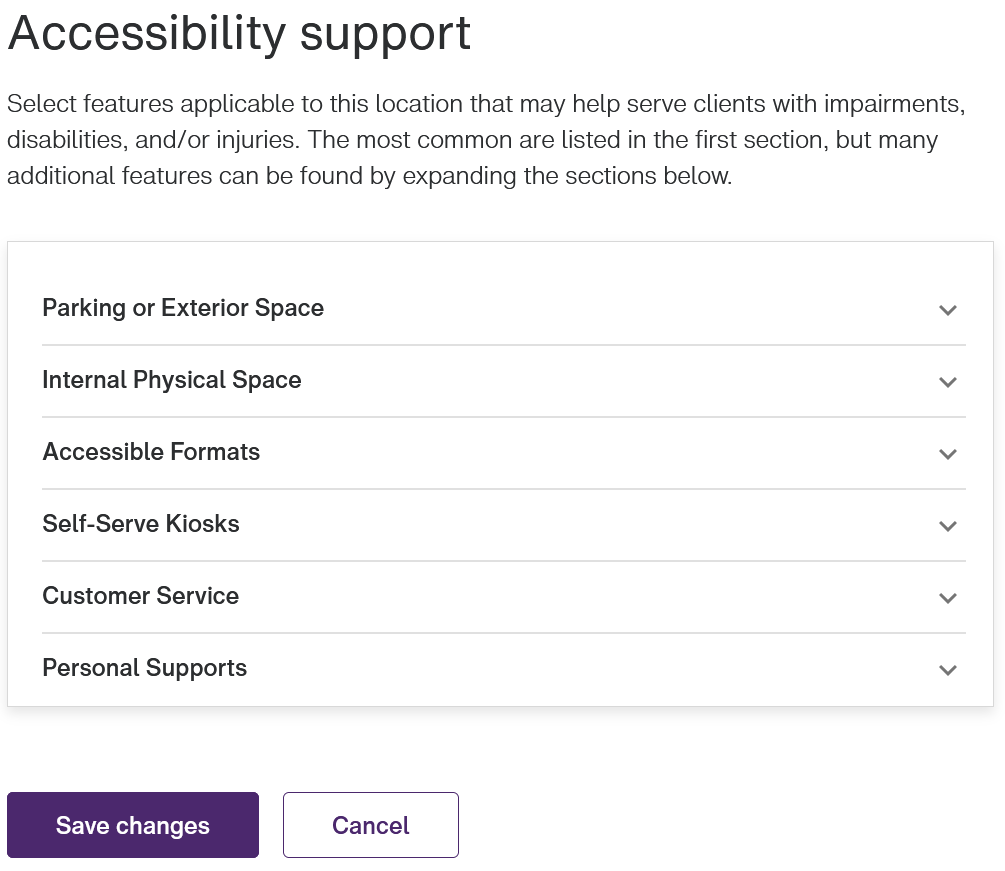
The Accessibility support window is displayed.
-
For each of the categories, such as Parking or Exterior Space, select the category name to display its features, then select the checkboxes of the applicable features.
-
Select Save changes.
The Business profile window is displayed again.
Select Accessibility support to view or verify the list of accessibility features you selected.